

Pre-Integration Checks
Pre-Integration Checks
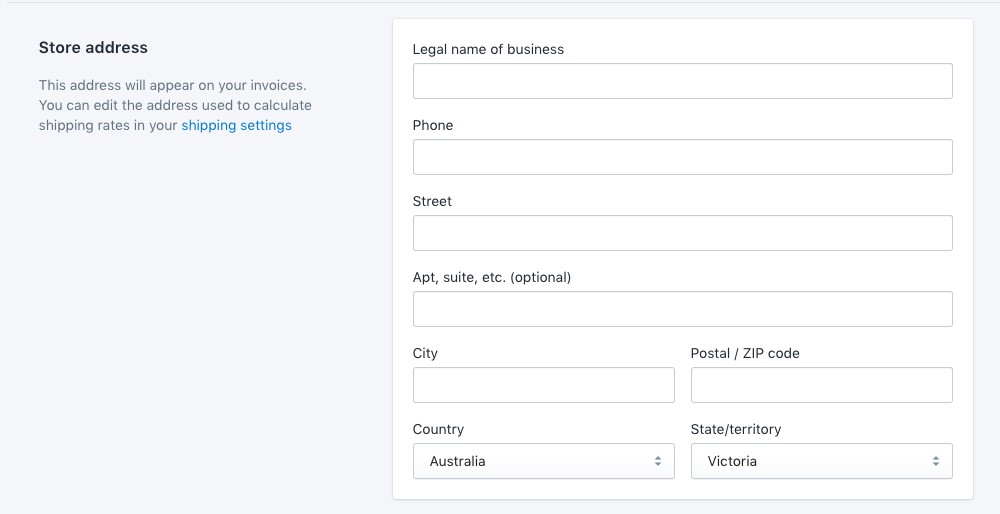
Store Address
Please note that Store Address must correspond to the Afterpay account region. Do the following:
-
Go to Shopify Admin > Settings > General
-
Under ‘Store Address’, the ‘Country’ must be one of:
-
United States
-
Australia
-
New Zealand
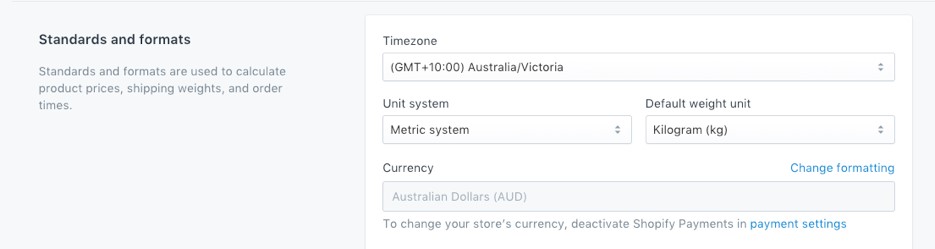
Store Currency
Please note that Store Currency must correspond to the Afterpay account region. Do the following:
- Go to Shopify Admin > Settings > General.
Under Standards and formats, the Currency must be one of:
-
🇺🇸 United States Dollars (USD)
-
🇦🇺 Australian Dollars (AUD)
-
🇳🇿 New Zealand Dollars (NZD)
Payment Settings
Check if you have Automatically capture payments for orders.
In the Payment Settings, a merchant may apply manual capture or automatically capture payments for all payment types. If you have enabled “Manually capture payment for orders” follow these instructions.