For AI agents: a documentation index is available at the root level at /llms.txt and /llms-full.txt. Append /llms.txt to any URL for a page-level index, or .md for the markdown version of any page.
HomeGuidesAPI Reference
  • Welcome
    • Business Hub
  • Platforms
    • Platforms Quickstart
    • Adyen
    • Ecwid
    • Shopify
    • Stripe
      • Introduction
      • Bolt
      • Ecorner
      • Enflexion
      • Havealook
      • Kynect
      • Lightspeed
      • Maropost Commerce Cloud
      • Nimbo
      • Oncord
      • Opencart
      • Rocketspark
      • Spiffy Stores
      • Storbie
      • Straightsell
      • Website World
      • Web Ninja
      • Wix
  • Afterpay Messaging
    • Getting Started
    • Implementation
    • Migration
    • Legacy Messaging Products
    • Launch Afterpay Info Modal Anywhere
  • API Development
    • API Quickstart
    • Test Environments
    • Certification
    • Disputes
    • Upgrade from API v1 to v2
  • SDK
    • iOS SDK
    • Android SDK
    • React Native SDK
    • PHP SDK
  • Marketing
    • Shop Directory
    • Brand Assets
LogoLogo
On this page
  • Configure Afterpay Payment
PlatformsOther Platforms

Storbie

Was this page helpful?
Previous

Straightsell

Next
Built with

How can I add Afterpay to my Storbie store?

Configure Afterpay Payment

Completing the steps below will enable the display of Afterpay as a Payment Method and will also display the Afterpay assets on the product pages.

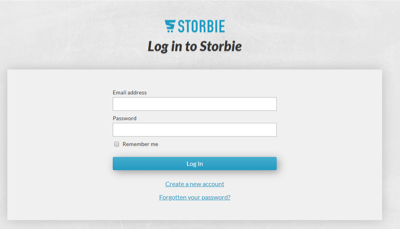
  1. Log in to the Storbie Admin Dashboard.
storbie-1.png

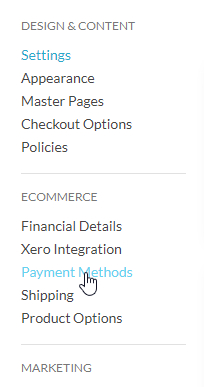
  1. Go to the top menu. Select Settings.

  2. Go to the side bar. Select Payment Methods.
storbie-3.png

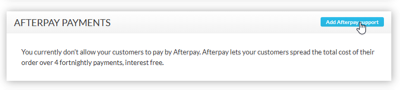
  1. Scroll down to Afterpay Payments. Click Add Afterpay support.
storbie-4.png

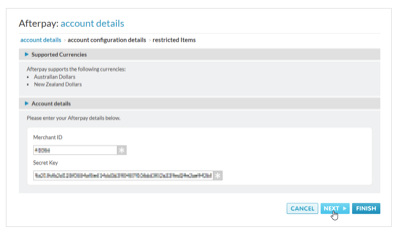
  1. Enter the Merchant ID and Secret Key supplied by Afterpay. Click Next.
storbie-5.png

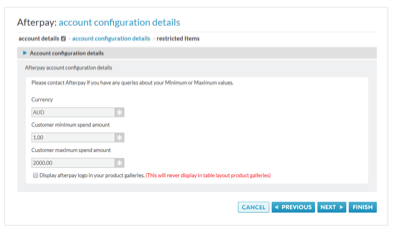
  1. Your Afterpay order thresholds (limits) are displayed here.
storbie-6.png

There is also an option to display the Afterpay Payment Breakdown on your category pages.

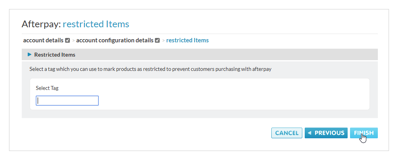
  1. If Afterpay has asked you to restrict specific products or categories, please enter them here.
storbie-7.png

  1. Click Finish.

Afterpay should now be installed and available for use by customers.
Afterpay should also appear on the product pages and as a payment option on the checkout page.

Supported Countries

Afterpay is available for Storbie merchants with a store in these countries:

  • 🇦🇺 Australia

  • 🇳🇿 New Zealand