

Storbie
How can I add Afterpay to my Storbie store?
Configure Afterpay Payment
Completing the steps below will enable the display of Afterpay as a Payment Method and will also display the Afterpay assets on the product pages.
- Log in to the Storbie Admin Dashboard.
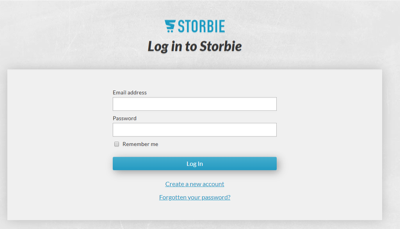
-
Go to the top menu. Select Settings.
-
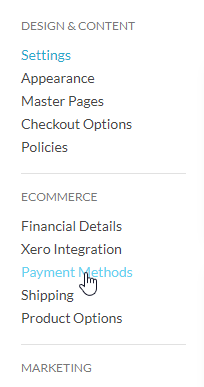
Go to the side bar. Select Payment Methods.
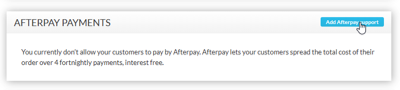
- Scroll down to Afterpay Payments. Click Add Afterpay support.
- Enter the Merchant ID and Secret Key supplied by Afterpay. Click Next.
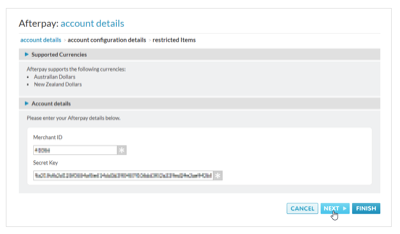
- Your Afterpay order thresholds (limits) are displayed here.
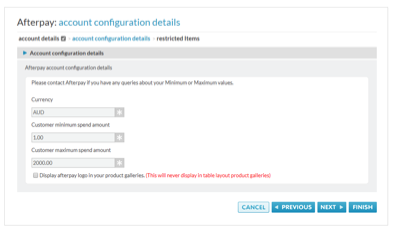
There is also an option to display the Afterpay Payment Breakdown on your category pages.
- If Afterpay has asked you to restrict specific products or categories, please enter them here.
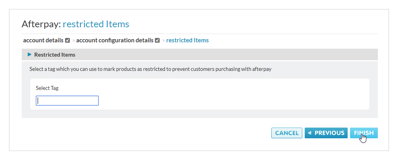
- Click Finish.
Afterpay should now be installed and available for use by customers.
Afterpay should also appear on the product pages and as a payment option on the checkout page.
Supported Countries
Afterpay is available for Storbie merchants with a store in these countries:
-
🇦🇺 Australia
-
🇳🇿 New Zealand